Move your existing help center to Sarrai
Moving your existing help center to Sarrai is easy, because we give you several tools to do it. In most cases we simply copy your collections, articles and images one-to-one. So your Sarrai help center is up and running in no time!

Already have a knowledge base or a help center?
Then there's no need to start from scratch. We bring over what you already have. Coming from Intercom? Then it takes just one click!
That makes Sarrai very easy to try out: after just a few minutes, you're ready to go!
Pick your starting point
You're coming from Intercom
Just enter the public address of your Intercom help center. Sarrai brings over everything that's visible there: your collections, your articles, your images and every language you maintain. It all happens automatically in the background while you wait.
Your Intercom keeps working for as long as you want. That gives you plenty of time to set up your help center in Sarrai exactly the way you want it. Want to make some changes to your articles first? Go right ahead.
You're coming from Zendesk, Freshdesk or another tool
As long as your help center is publicly available, Sarrai can read it and turn it into articles and collections. You choose how: copy your existing help center word for word, or let our AI agent restructure and rewrite your content, so you start with a clean, logically organized knowledge base.
You can do it all at once, or step by step if you prefer. With our migration tool, we can bring over any kind of documentation.
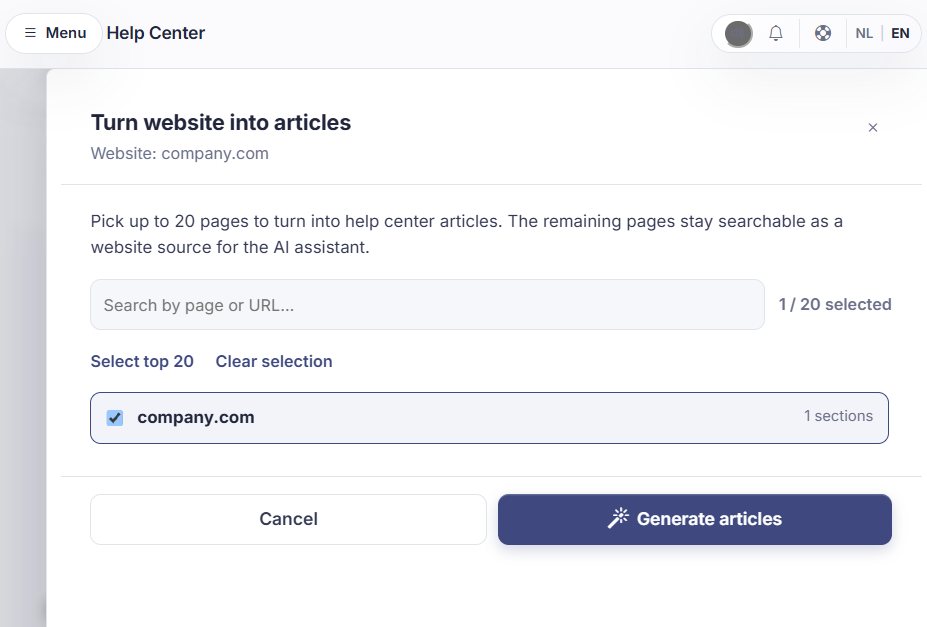
No help center yet, but you do have a manual
Even without an online help center, you can get started with Sarrai quickly. Our import tools let you bring in PDFs, Word documents and even Markdown files.
That way, what you have today moves into Sarrai in no time. Here too, the choice is yours: copy your content word for word, or let our AI agent restructure and rewrite it.
Your old URLs keep working
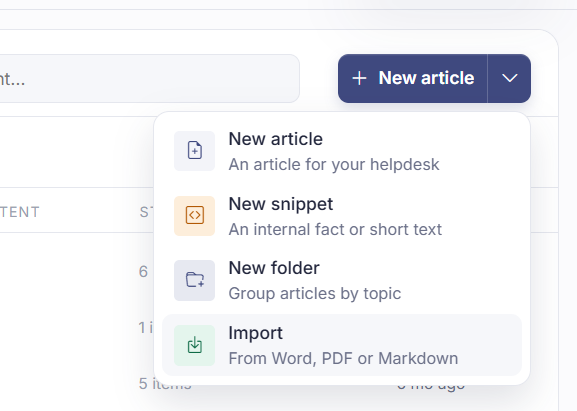
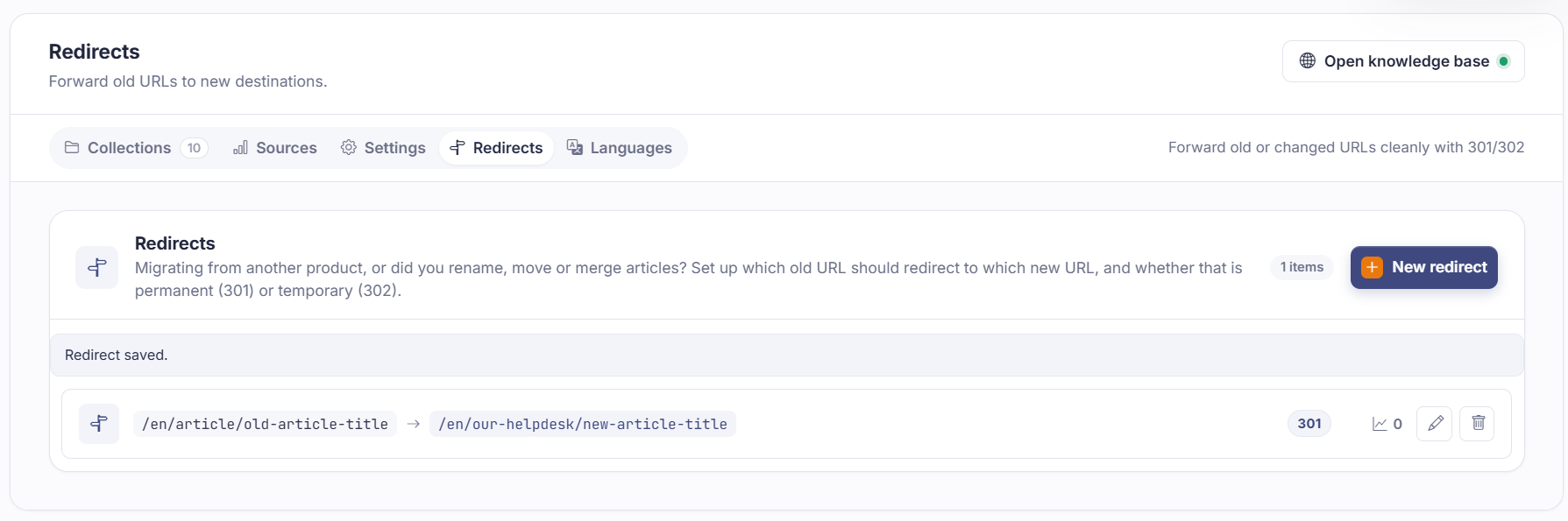
When you migrate from another tool, your URLs change too. Links in Google, in bookmarks and on other websites keep working, because Sarrai automatically redirects from the old address (at Intercom, for example) to the right page in Sarrai. So your employees and your customers always land on the right page.
That stays useful long after your migration. If you merge two articles later, or delete one, you send the old address to its replacement. Each redirect shows how often it was used, so you also see which old links still get real traffic.
Nothing is final
The risk in a migration isn't that it fails. It's that you end up with a half-finished knowledge base and no idea what's already in it.
Sarrai is built for exactly that. You can undo an Intercom import completely. Restarting an import doesn't create duplicate articles, because Sarrai knows what already came in. If a large import stalls, it picks up where it stopped instead of starting over. And when you import documentation, you can have your content come in as drafts first, so nobody sees it before you've read it through.
After that, you get everything else Sarrai has to offer
Sarrai keeps working with your content. It answers customer questions automatically, and every question it can't answer comes to you as a suggestion for a new or better article. You approve it, edit it, or throw it away. That way, your knowledge base grows along with what customers actually ask.
That's also why you don't have to keep polishing your import forever. Whatever is missing will surface through your customers.
How the approval inbox works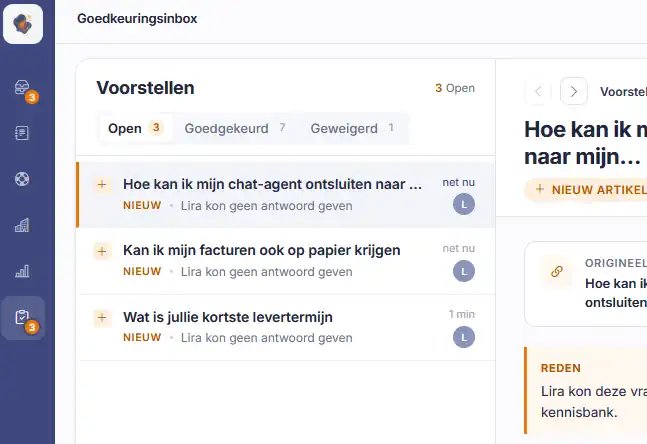
Questions about migrating
Do I have to cancel Intercom before I can import?
No. Sarrai reads your public help center, and that works as long as your Intercom is online. So you can import first, look at the result, and only then decide.
Does my conversation history come along?
No, the import only brings over your help center articles. Your conversations stay in your old tool. Interested in bringing over your conversation history as well? Get in touch with us.
I keep my help center in two languages. Does that work?
Yes. Every language that is public on your Intercom comes in as its own language version in Sarrai.
Will my old links keep working?
Yes. Sarrai suggests redirects on its own, and you can add more yourself. So links in Google or in people's bookmarks simply keep working.
What if the import isn't what I expected?
Then you throw away the articles from that import and try again. We made this step as simple as possible too.
Can I try this before I pay?
Yes. Everything in Sarrai works during your free trial month, the import included.
I have no help center and no documentation.
Then you don't need a migration, of course. You start with a clean slate. Would you like a hand getting started? Knowledge Kickstart builds your first articles out of what your people know.
Who helps me if my migration gets stuck?
The owner himself. Your message goes straight to Steven, the founder who built the import, and you get a reply within one business day. Send him a message.
Bring your content in and see what comes out
Free to try, no credit card needed. Paste the address of your help center and see within minutes what Sarrai makes of it.
